Bank connections · 6 min read
Is It Safe to Link Your Bank Account to an App? The Right Way
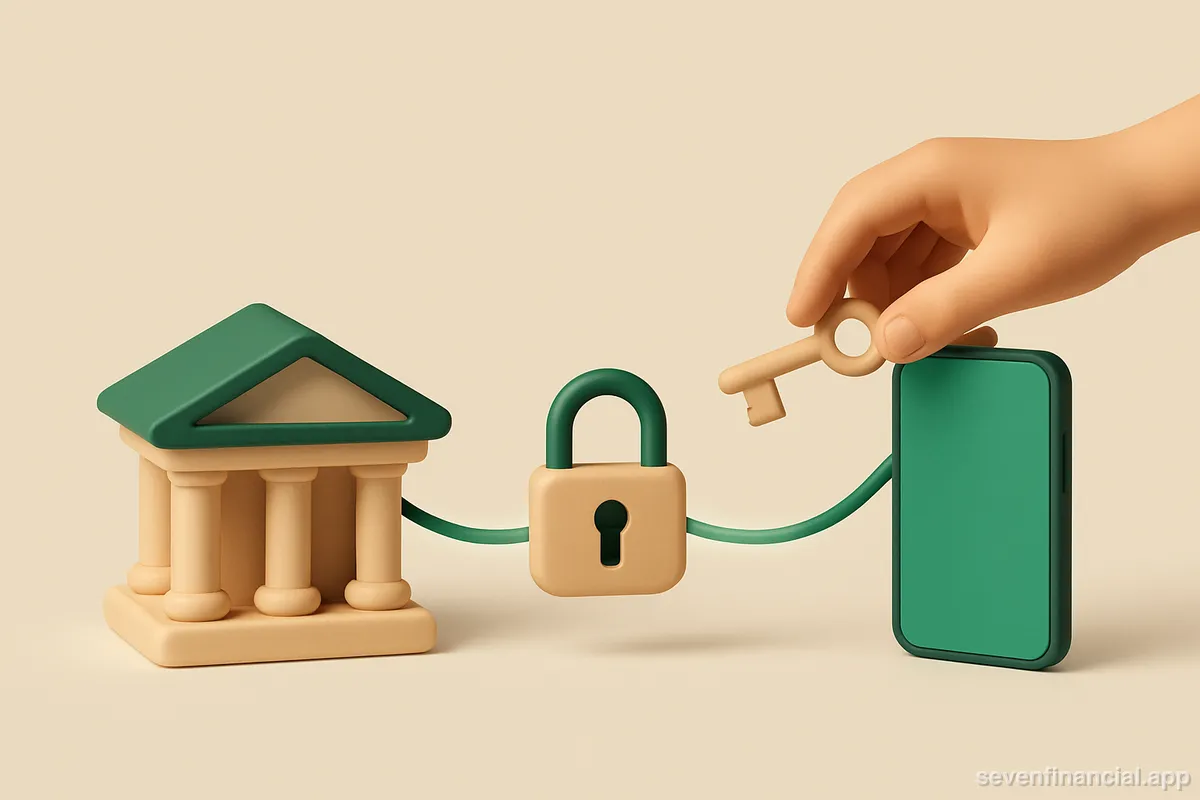
Yes, linking your bank account to an app is generally safe — provided the app connects through a major aggregator like Plaid, receives read-only access (it can see transactions and balances but cannot move money), and lets you revoke that access whenever you want. The riskiest pattern, typing your actual banking password into a third-party app that stores it, has largely been replaced by OAuth connections where you log in on your bank's own site and the app never sees your credentials. The real question isn't whether linking is safe in general; it's whether a specific app handles the connection the right way — and there's a short checklist for that.
What actually happens when you link a bank account?
When you tap "Connect a bank" in most US finance apps, you're not handing your password to the app itself. You're handed off to an aggregator — Plaid is the biggest, alongside Finicity, MX, and Yodlee — which acts as a translator between your bank and the app. At most major banks, the flow works like this: a window opens on your bank's own domain, you log in there (with your usual two-factor prompt), and you approve a specific list of permissions. The bank then issues the aggregator a token — a revocable credential that stands in for your password without being your password.
The app on the other end never receives your login. It receives data: account names, balances, and transaction history, delivered through the aggregator. If you're curious about the mechanics in more depth, we walk through the whole handshake in how Plaid works when you link a bank.
This matters because the older method — screen scraping, where a service stored your real credentials and logged in as you — carried genuinely different risks. A stored password is a stored password, no matter how well encrypted. The industry has spent years migrating away from it, and the difference between OAuth connections and screen scraping is the single biggest safety upgrade in this space.
Read-only access: the distinction that matters most
There are two fundamentally different kinds of bank access, and they deserve fundamentally different levels of caution.
- Read-only access lets an app see balances and transactions. It cannot initiate transfers, pay bills, or change anything at your bank. Budgeting apps, net worth trackers, and spending dashboards fall in this category. Worst realistic case if something goes wrong: someone sees your data. Bad, but recoverable.
- Money-movement access lets an app initiate payments or transfers — think payment apps and account-funding flows. This is where a compromise could cost actual dollars, and where you should be far more selective.
Before linking, figure out which kind you're granting. A tracker that only needs to display your spending should never be asking for transfer permissions. We cover the read-only model in detail in can Plaid move my money? — the short version is that read access and write access are separate products, and an app only gets what it registered for.
How do you tell a trustworthy app from a sketchy one?
Run any app through this checklist before you connect a real account. None of these checks require technical knowledge — just a few minutes of reading.
- It connects through a named aggregator. The app should say plainly that it uses Plaid, MX, Finicity, or Yodlee. An app that asks you to type your bank password directly into its own screens, with no bank-hosted login step, is using an outdated and riskier method — or worse.
- It states what access it needs, and it's the minimum. A spending tracker needs transactions and balances, not the ability to move money.
- You can find the company. A real business name, a privacy policy that says whether data is sold, a support contact. Anonymous finance apps are an automatic no.
- There's a clear way out. You should be able to disconnect the bank and delete your data from inside the app, not by emailing support and hoping.
- The app itself is protected. On a phone, that means Face ID, Touch ID, or a passcode gate, so a stolen phone doesn't equal an open ledger.
One concrete example of why the minimum-access point matters: say you link a checking account with a $4,200 balance to a read-only tracker, and six months later that company has a breach. What leaks is a view of your transactions — grocery runs, a $1,350 rent payment, a Netflix charge. That's a real privacy harm. But nobody can drain the $4,200, because the token never had transfer rights, and you can kill even the read access with one revocation. Compare that to a leaked password reused across accounts, and the difference in blast radius is enormous.
What can the app actually see — and what can't it?
A typical read-only connection exposes your account names and types, current and available balances, and transaction history — usually up to about two years of it, depending on the bank. Depending on the permissions you approve, it may also include account-holder details like the name and email on file at the bank.
What it does not include: your banking password (the app never sees it in an OAuth flow), your card's full number and CVV in most transaction feeds, and any ability to act on the account. The aggregator also only accesses the specific accounts you check off during linking — many banks now let you share your checking account but withhold your savings, for instance. For a fuller inventory, see what Plaid sees and what it doesn't.
You can revoke access at any time — here's the escape hatch
The strongest safety property of the modern setup is that access is revocable from three separate places, and any one of them is enough:
- Inside the app, by disconnecting the account or deleting your data.
- At the aggregator — Plaid, for example, offers a portal where you can see every app connected through it and cut any of them off.
- At your bank, where many institutions now show a "connected apps" or "security" page listing third-party access, with a revoke button next to each.
That redundancy means you're never dependent on an app behaving well to end the relationship. If a service shuts down, gets acquired by someone you don't trust, or just stops being useful, follow the steps in how to revoke an app's access to your bank account and the connection is dead within minutes. It's worth doing this audit once a year regardless — most people are surprised by how many old connections they find.
Sensible habits once you've linked
Linking safely isn't only about the moment of connection. A few ongoing habits close the remaining gaps. Turn on alerts — a large-charge notification or an unusual-spending flag means you hear about a problem the day it happens rather than at statement time. Keep two-factor authentication on at the bank itself, since the bank login remains the crown jewel no aggregator touches. And treat a broken connection as a signal, not just an annoyance: connections routinely break when you change your bank password or your bank rotates its security requirements, and a tracker silently showing week-old balances is quietly lying to you. Apps built for this, Seven Financial included, surface a broken connection explicitly instead of serving stale numbers as current.
None of this is financial advice — it's operational hygiene. The technology for linking accounts is in good shape in 2026; the variation is almost entirely in how carefully individual apps use it. Check for the aggregator, confirm read-only, verify the escape hatch, and you've done the parts that matter.
Frequently asked questions
Does linking my bank account to an app affect my credit score?
No. Connecting through an aggregator is not a credit inquiry — no hard or soft pull happens, and nothing is reported to credit bureaus. The connection only reads data from the accounts you approve.
Will I get reimbursed if money is stolen through a linked app?
US banks generally cover unauthorized electronic transfers under Regulation E when you report them promptly, and read-only connections can't initiate transfers in the first place. That said, report anything suspicious to your bank immediately — reimbursement timelines depend on how quickly you flag it.
Why does my bank sometimes make me re-link the app?
Access tokens expire or get invalidated when you change your password, trigger new MFA requirements, or when the bank rotates consent on a schedule — some institutions require re-authorization every 90 days. It's a security feature, not a malfunction, though it is annoying.
Is it safer to upload bank statements manually instead of linking?
Not necessarily. A PDF statement contains your account number, name, address, and full transaction history, and once uploaded you have no revoke button — the file lives wherever it was sent. A revocable read-only connection often exposes less and gives you more control.